Free IT check

Making IT Effortless
Making IT Effortless
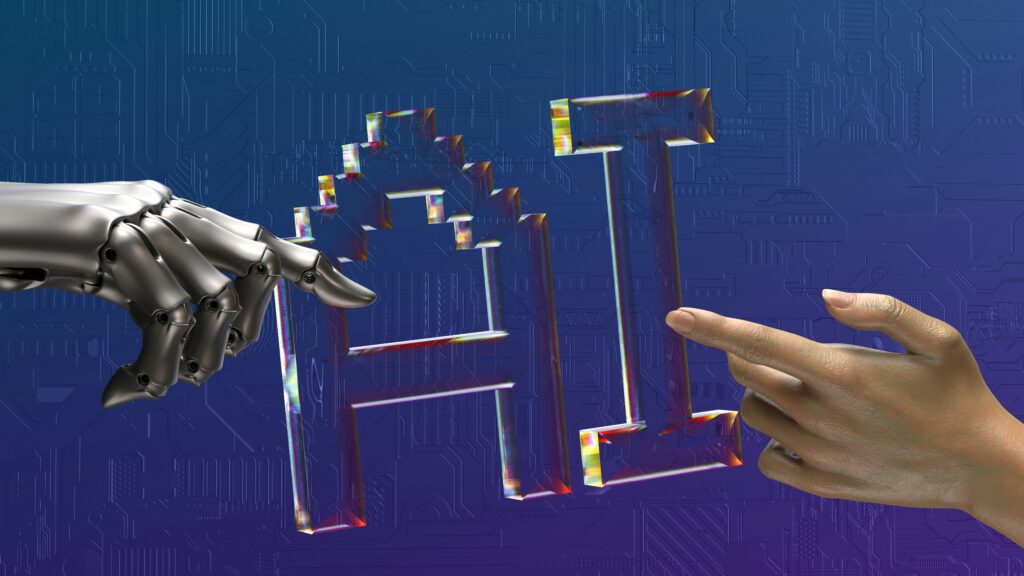
Every few months, another headline warns that AI is coming for everyone’s job. Meanwhile, the people actually using AI day to day are noticing something different. Their roles haven’t disappeared. Their inboxes have, the endless back and forth of searching, copying, and re-typing the same information has.
That’s the real story. AI isn’t replacing your team. It’s replacing the workflow your team has been stuck with for years.
The workflow was always the problem
Think about how much of a typical workday isn’t actually the job. It’s finding the right file, chasing down an answer in a chat thread from three weeks ago, manually building a report that should already exist, or rewriting the same email for the fifth time this month. None of that is the work people were hired to do. It’s friction around the work.
AI doesn’t take over your team’s expertise, it takes over the repetitive workflow standing between them and that expertise.
The result isn’t fewer people doing the job, it’s the same people finally able to do it.
That distinction matters more than most coverage of AI gives it credit for. Skills, judgment, client relationships, creative problem solving: none of that gets automated away. What gets automated is the workflow wrapped around it.
What this looks like in practice
In Microsoft 365, Copilot already shows what a replaced workflow looks like. Drafting a report used to mean opening a blank document and starting from nothing. Now Copilot drafts the first version. Meeting notes used to mean someone scribbling while trying to stay present in the conversation. Now Copilot summarizes the discussion and flags the follow-ups automatically.
The workflow changed. The person leading the meeting, making the decisions, and owning the client relationship didn’t.
The same pattern shows up everywhere AI gets implemented well: in data analysis, where Excel used to mean hours of manual formula building and now means describing what you need in plain language.
In task management, where deadlines used to live in someone’s head or a scattered to-do list and now get organized automatically. The tools shift. The judgment calls stay human.
Why this distinction matters for your business
Teams that treat AI as a threat to headcount tend to resist it, slow down adoption, and fall behind teams that treat it as a threat to bad processes instead. The businesses seeing real productivity gains aren’t the ones replacing people. They’re the ones replacing the parts of the day that never needed a person doing them manually in the first place.
That’s also where the risk sits. A new workflow built on AI still needs to be set up correctly, secured properly, and trained well, or it creates more confusion than it solves. This is where IT support stops being optional and starts being the difference between a smooth transition and a messy one.
The fear is understandable, but it’s pointed at the wrong target
It makes sense that “AI” and “job loss” get mentioned in the same breath. Every major shift in how we work has come with that same anxiety, from spreadsheets replacing ledgers to cloud tools replacing filing cabinets. Each time, the fear was the same: this will make people unnecessary. Each time, what actually happened was narrower and less dramatic. The tools changed. The tasks people spent their time on changed. The people stayed, doing work that mattered more.
AI fits that pattern, not a new one. The accountant who used to spend a full day reconciling numbers by hand isn’t gone, they’re spending that day on analysis and advising clients instead.
The marketer who used to burn hours formatting reports is spending that time on strategy. The shift isn’t from “employed” to “unemployed.” It’s from “busy with the workflow” to “focused on the work.”
What teams gain when the workflow disappears
When the repetitive parts of a job get absorbed by AI, what’s left is usually the part people actually wanted to do when they took the job in the first place. A few patterns show up consistently in teams that make this shift well:
More time for judgment calls. Decisions that need context, nuance, or a relationship with the client still need a person. AI can draft the email, but it can’t read the room in a tense client call.
Less burnout from busywork. A lot of workplace fatigue doesn’t come from hard work, it comes from repetitive, low value tasks that drain energy without delivering much. Removing that load tends to improve morale, not threaten it.
Faster onboarding. New team members no longer need months to learn where everything lives or how every report gets built. AI-supported workflows make institutional knowledge easier to access from day one.
Room to take on more. Teams that free up hours previously spent on manual workflow steps often use that time to take on projects they didn’t have capacity for before, not to do less.
None of this requires fewer people. It requires a workflow that gets out of their way.
Making the shift without the disruption
At EvolvingDesk, we help businesses redesign their workflows around AI instead of bolting AI onto workflows that were never built for it. That means configuring Microsoft 365 and Copilot to match how your team actually works, training people to use the tools properly, and staying close by as questions come up.
We’ve seen the difference between a rollout that’s thrown at a team with no support and one that’s planned around how that team actually operates, and it shows up in adoption, not just in the tools.
Your team’s expertise isn’t going anywhere. The workflow around it is overdue for an upgrade.
Curious what an AI-powered workflow could look like for your business? Get in touch with EvolvingDesk and let’s find out together.
Did this article spark some ideas?
Find out what we can do for you, schedule a call today.
About EvolvingDesk: Making IT Effortless
We turn complex IT into simple, effective solutions for your business. Whether it’s cloud services, custom applications, or network management, EvolvingDesk combines the latest technology with personal service, so your business stays secure, connected, and ready for growth. IT made simple, just the way it should be.
What do we do?
At EvolvingDesk, we provide practical IT solutions that fit the way your business works. From tailored software and reliable business WiFi to smart surveillance and hands-on support, we make sure your technology runs smoothly, so you can stay focused on your goals.