Free IT check

Making IT Effortless
Making IT Effortless
Multi-Factor Authentication: 5 Powerful Reasons Every SMB Needs It
Multi-factor authentication is one of the simplest ways to protect your business from cyber threats. Here's what it is, how it works, and why every SMB should have it enabled.
Your password was just leaked in a data breach. It happens more often than you’d think — and for most businesses, a leaked password is all an attacker needs to get in. Multi-factor authentication changes that entirely. Even if someone has your password, they still can’t access your account without the second verification step.
It’s one of the most effective and affordable security measures available to small and medium-sized businesses. Yet a surprising number of SMBs still don’t have it enabled. In this post, we’ll explain what MFA is, how it works, and why it should be a non-negotiable part of your IT setup.
What Is Multi-Factor Authentication?
Multi-factor authentication (MFA) is a security method that requires users to prove their identity in more than one way before accessing an account or system. Instead of relying on a password alone, MFA adds one or more additional verification steps.
These factors typically fall into three categories:
- Something you know: A password or PIN
- Something you have: A smartphone, hardware token, or authenticator app
- Something you are: A fingerprint, face scan, or other biometric
When you combine two or more of these, you have multi-factor authentication. Even if a cybercriminal steals your password, they still can’t log in without the second factor — which is typically on your phone. Microsoft research shows that MFA blocks over 99.9% of automated account attacks — making it one of the single most impactful security steps any business can take.
MFA vs Two-Factor Authentication: What’s the Difference?
You’ve probably heard both terms. Two-factor authentication (2FA) is simply a specific type of MFA that uses exactly two verification steps. MFA is the broader term and can involve two, three, or more factors.
For most SMBs, 2FA is the right starting point. It’s straightforward to set up, easy for employees to use, and already provides a dramatic improvement in MFA security compared to passwords alone.
Why Passwords Alone Are No Longer Enough
Passwords are the weakest link in most security setups. Here’s why:
- People reuse the same password across multiple accounts
- Phishing attacks trick employees into handing over credentials
- Data breaches expose millions of passwords every year
- Weak or predictable passwords are cracked in seconds with automated tools
According to the Verizon Data Breach Investigations Report, stolen or weak credentials are involved in the majority of hacking-related breaches year after year. A compromised password used to mean a compromised account. With multi-factor authentication in place, a stolen password is no longer enough. The attacker also needs your phone, your fingerprint, or your hardware token — things they almost certainly don’t have.
This is especially important for SMBs. Hackers know that smaller businesses often have weaker security than large enterprises, making them attractive targets. Our post on 5 ways hackers target small businesses covers this in more detail.
Common Authentication Methods for Business
Not all Multi Factor Authentication methods are created equal. Here’s an overview of the most common options and where they fit:
Authenticator Apps
Apps like Microsoft Authenticator, Google Authenticator, or Authy generate a time-based one-time code every 30 seconds. This is one of the most widely used and reliable methods for business accounts. It works offline, is free to use, and is supported by virtually every major platform.
SMS Codes
A one-time code is sent to your phone via text message. This is easy to set up and familiar to most users, but it’s considered less secure than an authenticator app because SMS messages can be intercepted through a technique called SIM swapping. It’s still far better than no MFA at all.
Push Notifications
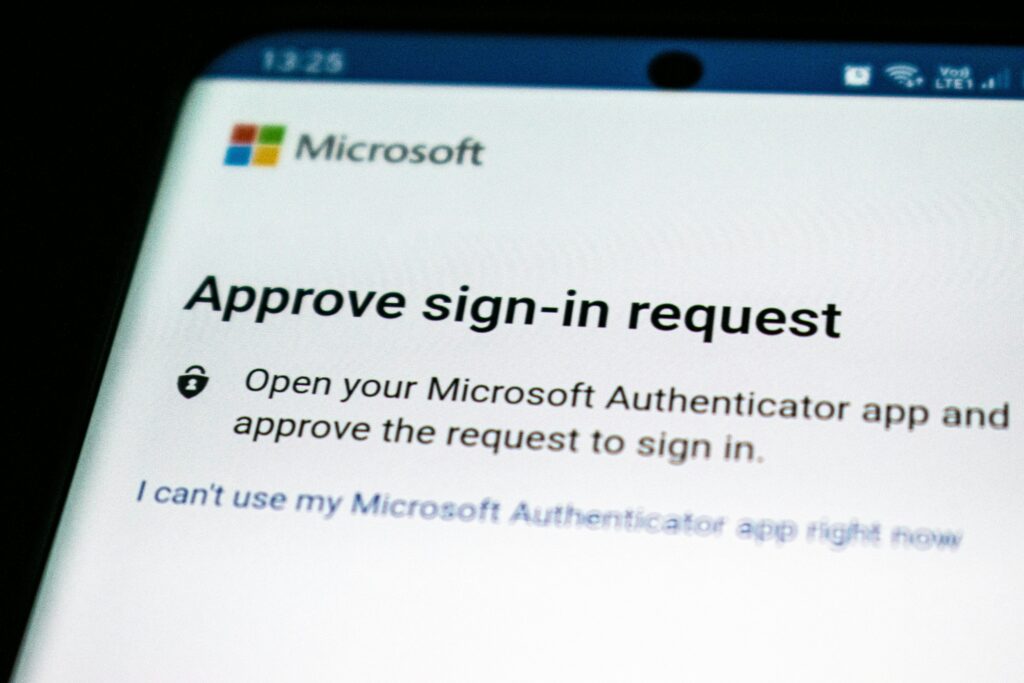
The user receives a push notification on their phone asking them to approve or deny a login attempt. This is simple and fast — just tap “approve” — and is used by tools like Microsoft Authenticator and Duo. It’s a good option for businesses that want a low-friction experience for employees.
Hardware Tokens
A physical device (like a YubiKey) generates a code or connects via USB to verify identity. This is the most secure option and is often used for high-privilege accounts like IT administrators. It’s more expensive and less convenient for everyday users.
Biometrics
Fingerprint or face recognition, often built into modern laptops and smartphones. Biometrics are convenient and increasingly common, though they’re usually used as a complement to other factors rather than a standalone MFA solution.
Why Every SMB Needs MFA for Business
Let’s be direct: if your team is using cloud tools like Microsoft 365, Google Workspace, or any SaaS platform without MFA enabled, your business accounts are at risk right now.
Here’s what MFA for business actually protects:
- Email accounts: Business email is a prime target. Attackers use compromised email to commit fraud, send phishing emails to your clients, and access connected systems.
- Cloud storage: Files in OneDrive, SharePoint, or Google Drive are only as secure as the account protecting them.
- Remote access tools: VPNs and remote desktop tools without MFA are a common entry point for ransomware attacks.
- Financial tools: Accounting software, payment platforms, and banking portals need the strongest protection you can give them.
The good news is that enabling MFA across your business doesn’t require a big budget or a complex project. Most of the tools you already use support it natively. The UK National Cyber Security Centre recommends MFA as one of the first steps every organisation should take to improve account security. If you want to understand how this fits into a broader security strategy, have a look at our post on how to create a secure IT workplace for hybrid teams.
How to Roll Out MFA Across Your Team
Getting MFA deployed across your business is more straightforward than most people expect. Here’s a simple approach:
- Start with your most critical accounts: Email, cloud storage, and any tools with access to financial or client data come first.
- Choose your method: For most SMBs, an authenticator app is the best balance of security and usability.
- Enable MFA at the admin level: In Microsoft 365 or Google Workspace, admins can enforce MFA for all users — not just recommend it.
- Communicate clearly with your team: Explain what MFA is, why it matters, and how to set it up. A short internal guide goes a long way.
- Set up backup options: Make sure every user has a recovery method in place so they’re never permanently locked out.
- Review regularly: Check that MFA is active for all accounts, including new starters, and update your approach as your tools evolve.
What About the Employee Experience?
One of the most common objections to MFA is that it slows people down. And yes, tapping an extra button to log in does add a few seconds. But modern MFA tools are designed to minimize friction — most systems only ask for the second factor when logging in from a new device or location, not every single time.
The inconvenience of MFA is small. The inconvenience of a hacked email account, a ransomware attack, or a data breach is enormous. It’s a trade-off that’s well worth making.
If your team struggles with too many tools and logins already, that’s a separate challenge worth addressing. Our post on how to stop your team from drowning in tools has some practical advice on that front.
Getting Started Today
Multi-factor authentication is not a complex enterprise technology. It’s a simple, proven security measure that every business — regardless of size — should have in place. If you’re not sure where to start or want help rolling it out across your team, we’re here to help.
Get in touch with EvolvingDesk and we’ll make sure your accounts are protected the right way.
Did this article spark some ideas?
Find out what we can do for you, schedule a call today.
About EvolvingDesk: Making IT Effortless
We turn complex IT into simple, effective solutions for your business. Whether it’s cloud services, custom applications, or network management, EvolvingDesk combines the latest technology with personal service, so your business stays secure, connected, and ready for growth. IT made simple, just the way it should be.
What do we do?
At EvolvingDesk, we provide practical IT solutions that fit the way your business works. From tailored software and reliable business WiFi to smart surveillance and hands-on support, we make sure your technology runs smoothly, so you can stay focused on your goals.